See what ab1lens can do
ab1lens is a browser-based viewer for Sanger / .ab1 sequencing chromatograms.
The screenshots below show the main things it does:
- Read a chromatogram trace
- Compare two reads side by side
- Align a read to a reference
- Find motifs and primer sites
- Check sequencing quality (QC)
- Inspect and compare ABIF tags
- Export a publication-quality image
- View raw and processed traces together
- Review hand-edited basecalls
- Trim low-quality ends
Files are processed in the browser, on your own machine — nothing is sent over the network.
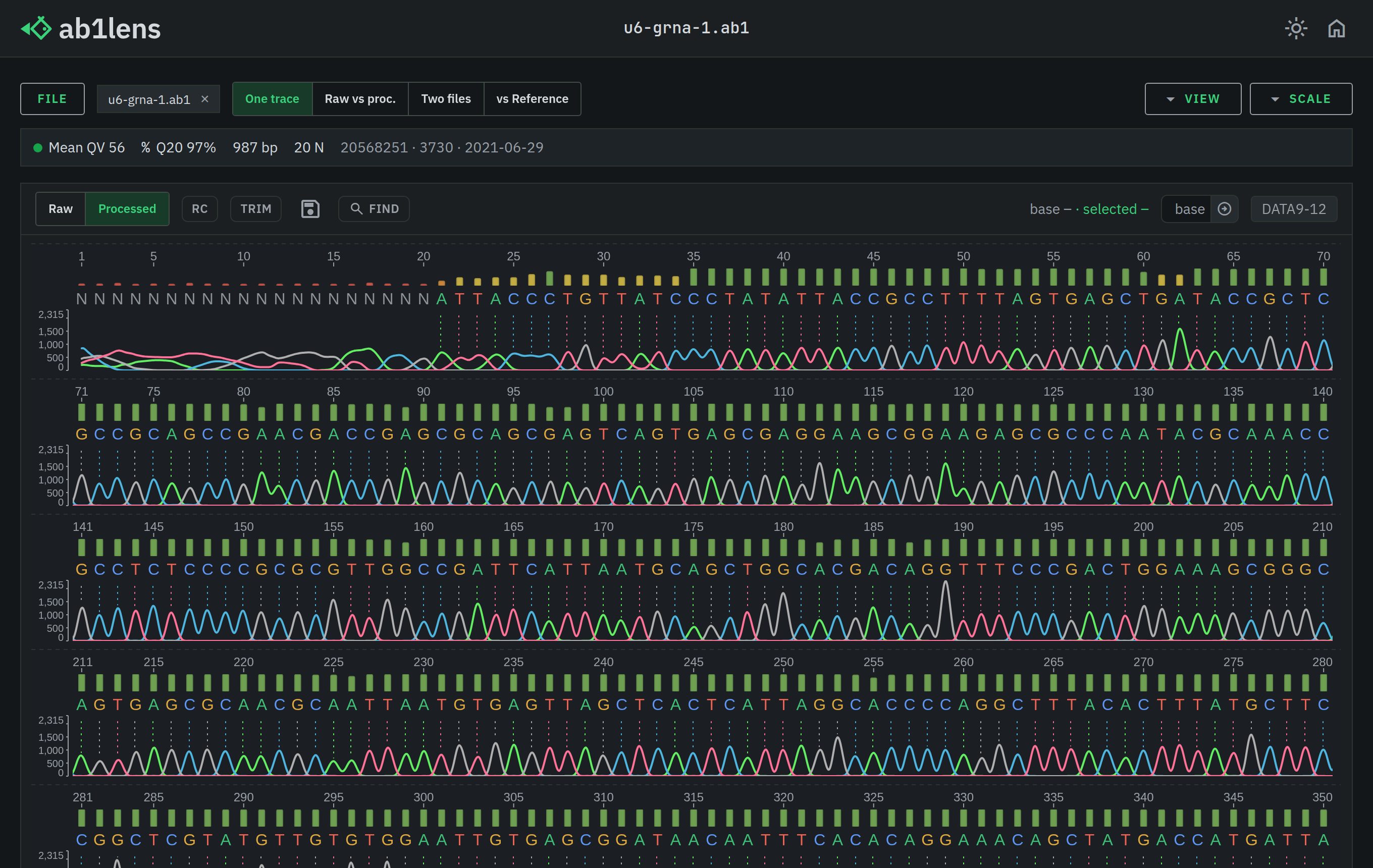 Read a Sanger chromatogramThe core view: a Sanger / .ab1 trace with colored A/C/G/T peaks, base calls, per-base quality bars and a position ruler.
The trace is zoomable and scrollable down to a single base, in the browser.
Read a Sanger chromatogramThe core view: a Sanger / .ab1 trace with colored A/C/G/T peaks, base calls, per-base quality bars and a position ruler.
The trace is zoomable and scrollable down to a single base, in the browser.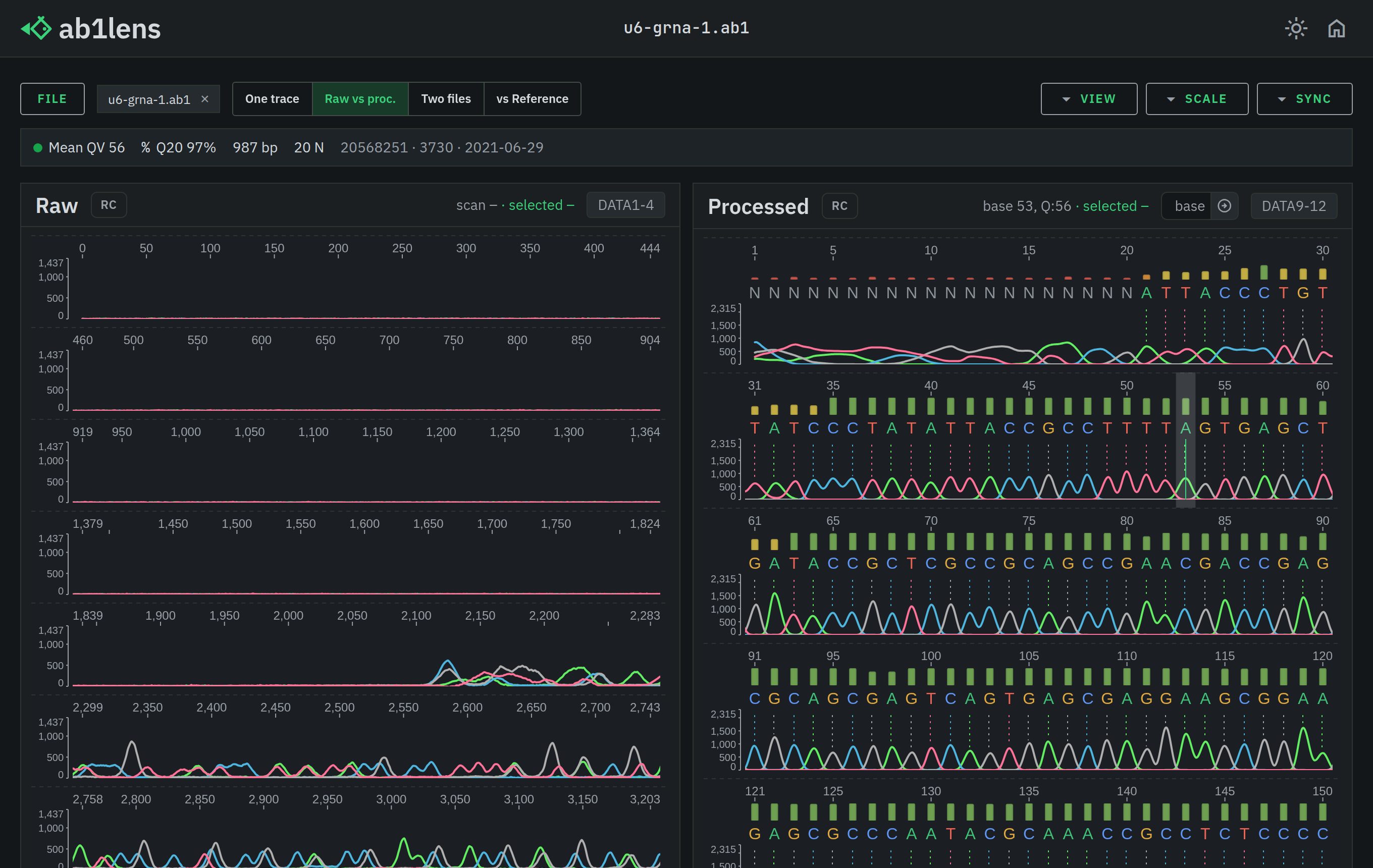 View raw and processed tracesThe unprocessed scan and the basecalled trace of the same .ab1, one lane each.
Handy for seeing what basecalling changed.
View raw and processed tracesThe unprocessed scan and the basecalled trace of the same .ab1, one lane each.
Handy for seeing what basecalling changed.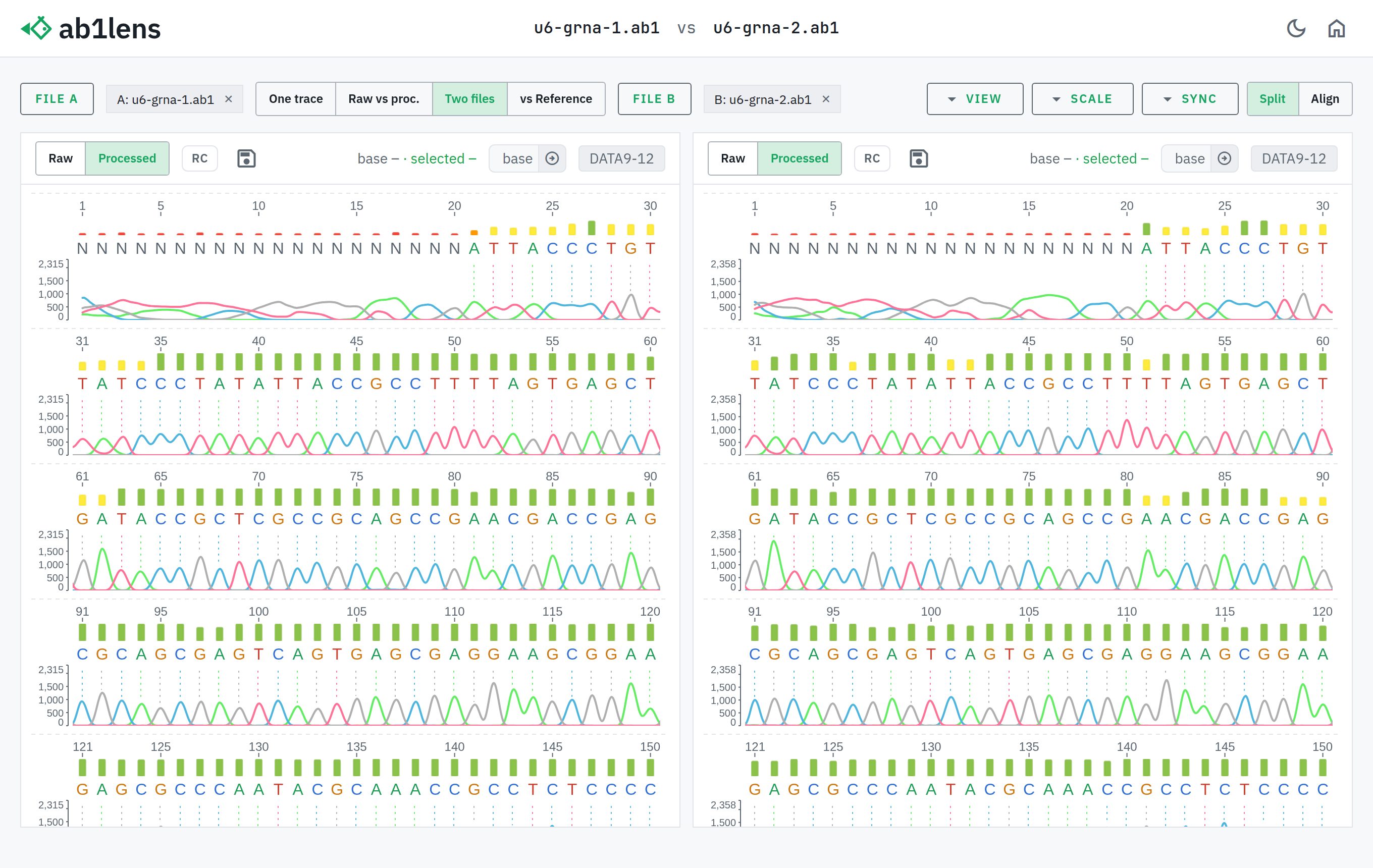 Compare two reads side by sideTwo .ab1 files open at once, scrolling in sync by position — useful for checking a replicate or a forward / reverse pair.
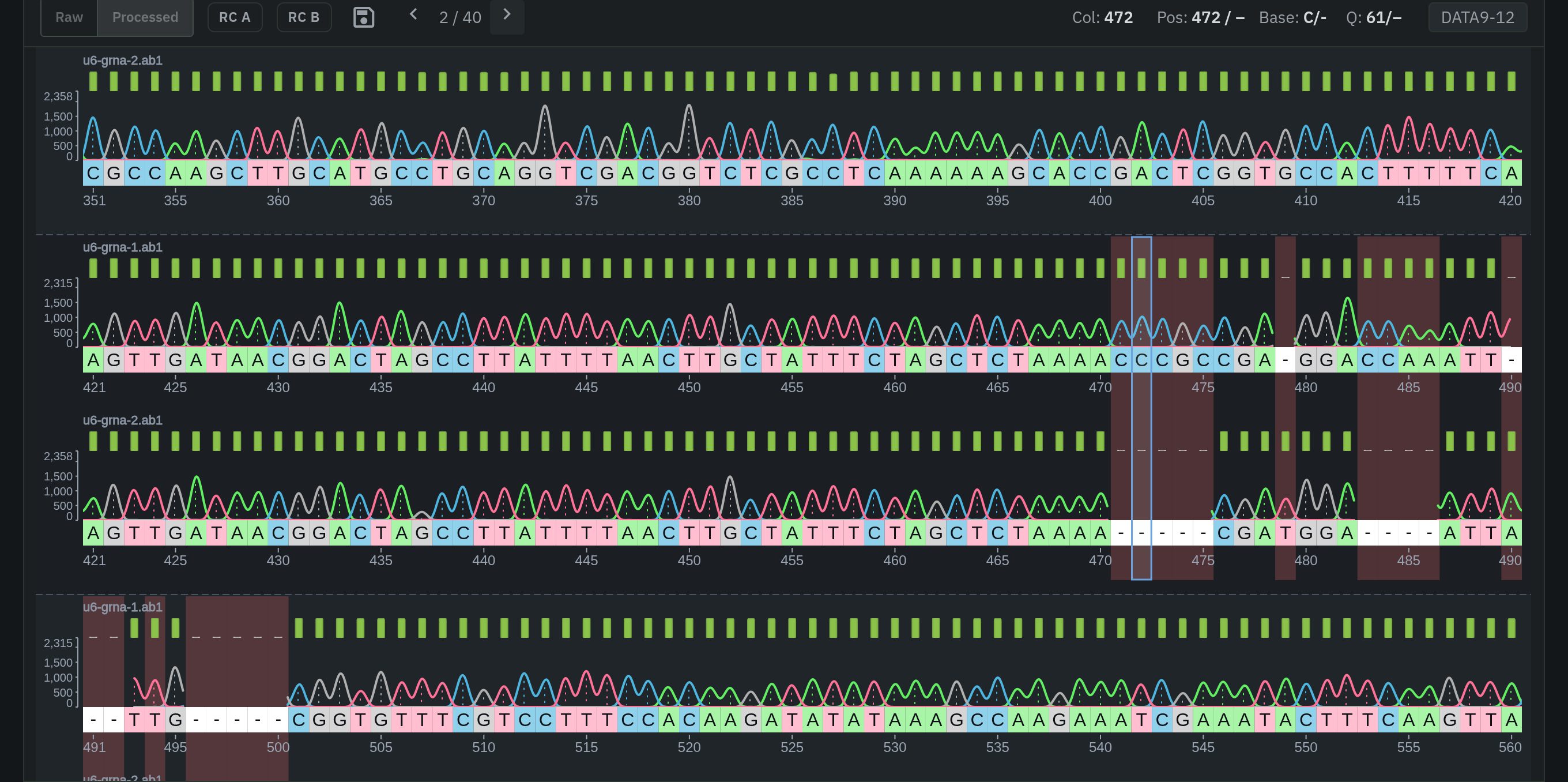 Align reads and step through differencesTwo reads stacked into a column alignment, with insertions, deletions and mismatches highlighted; differences can be stepped through one at a time.
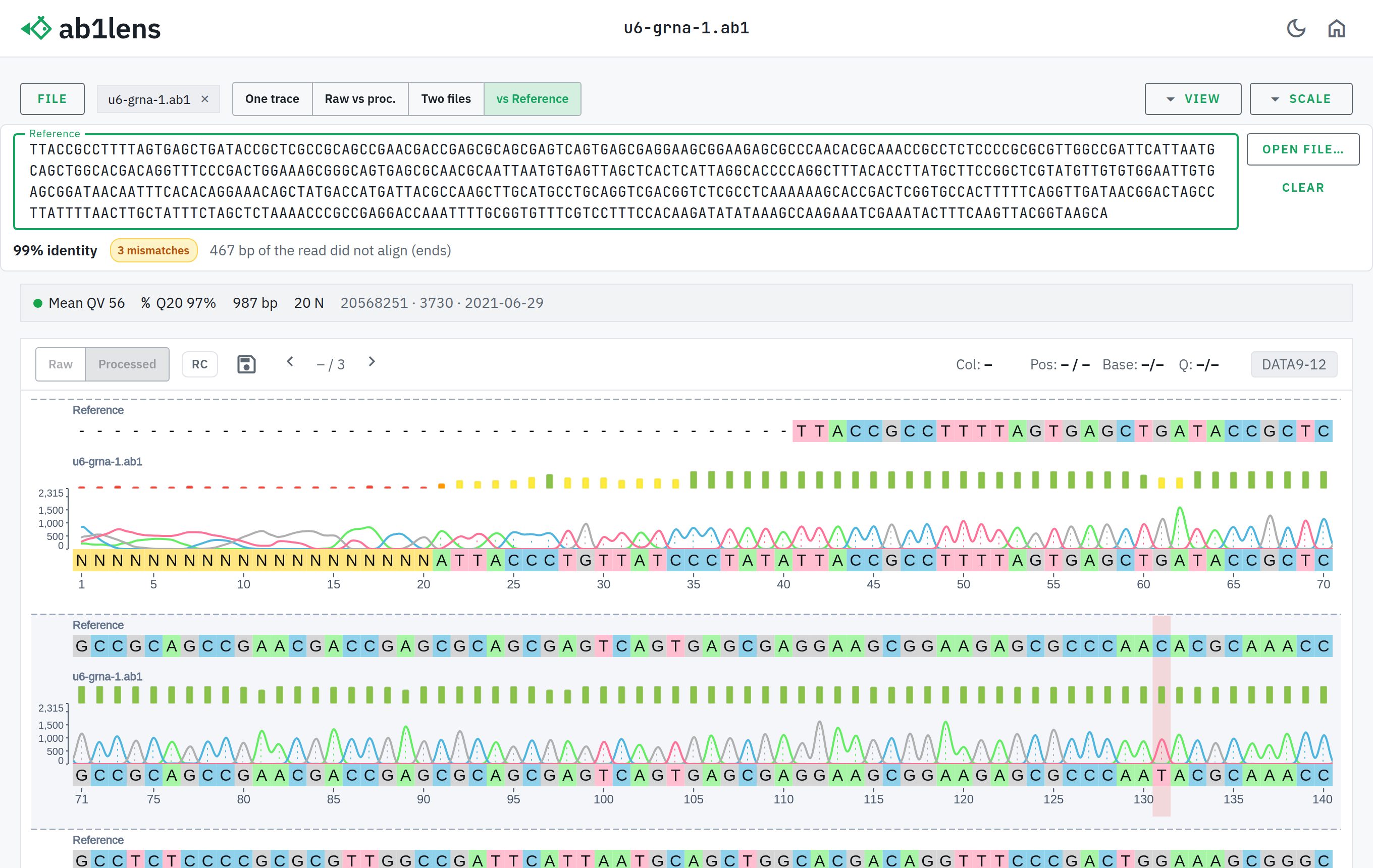 Align a read to a referenceA pasted reference sequence (or FASTA) aligned to the read, with percent identity and every mismatch listed — tied to the trace for base-by-base verification.
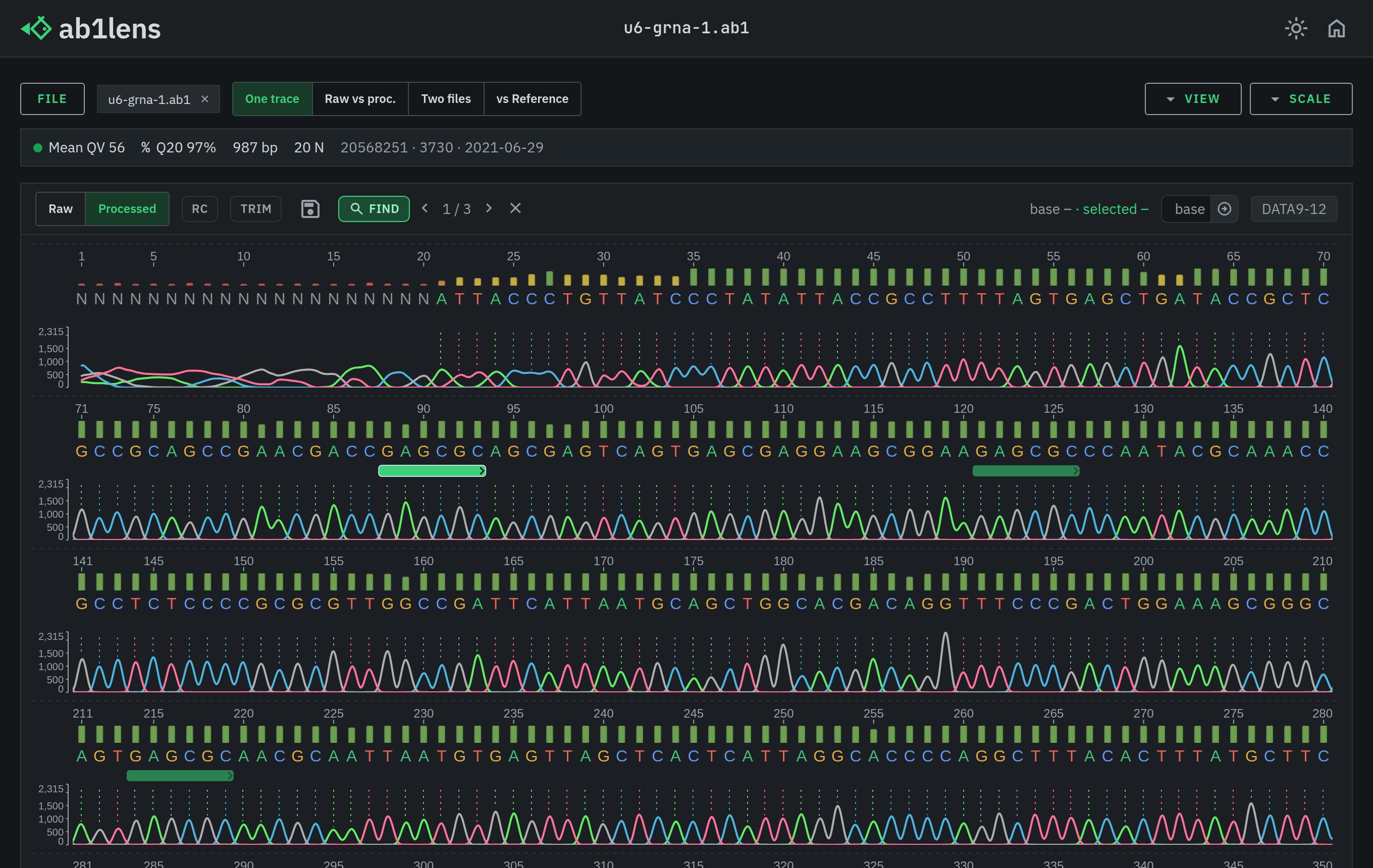 Find motifs and primer sitesIUPAC-aware search for any sequence motif, locating primer binding sites on either strand.
Matches are highlighted on the trace and can be stepped through.
Find motifs and primer sitesIUPAC-aware search for any sequence motif, locating primer binding sites on either strand.
Matches are highlighted on the trace and can be stepped through.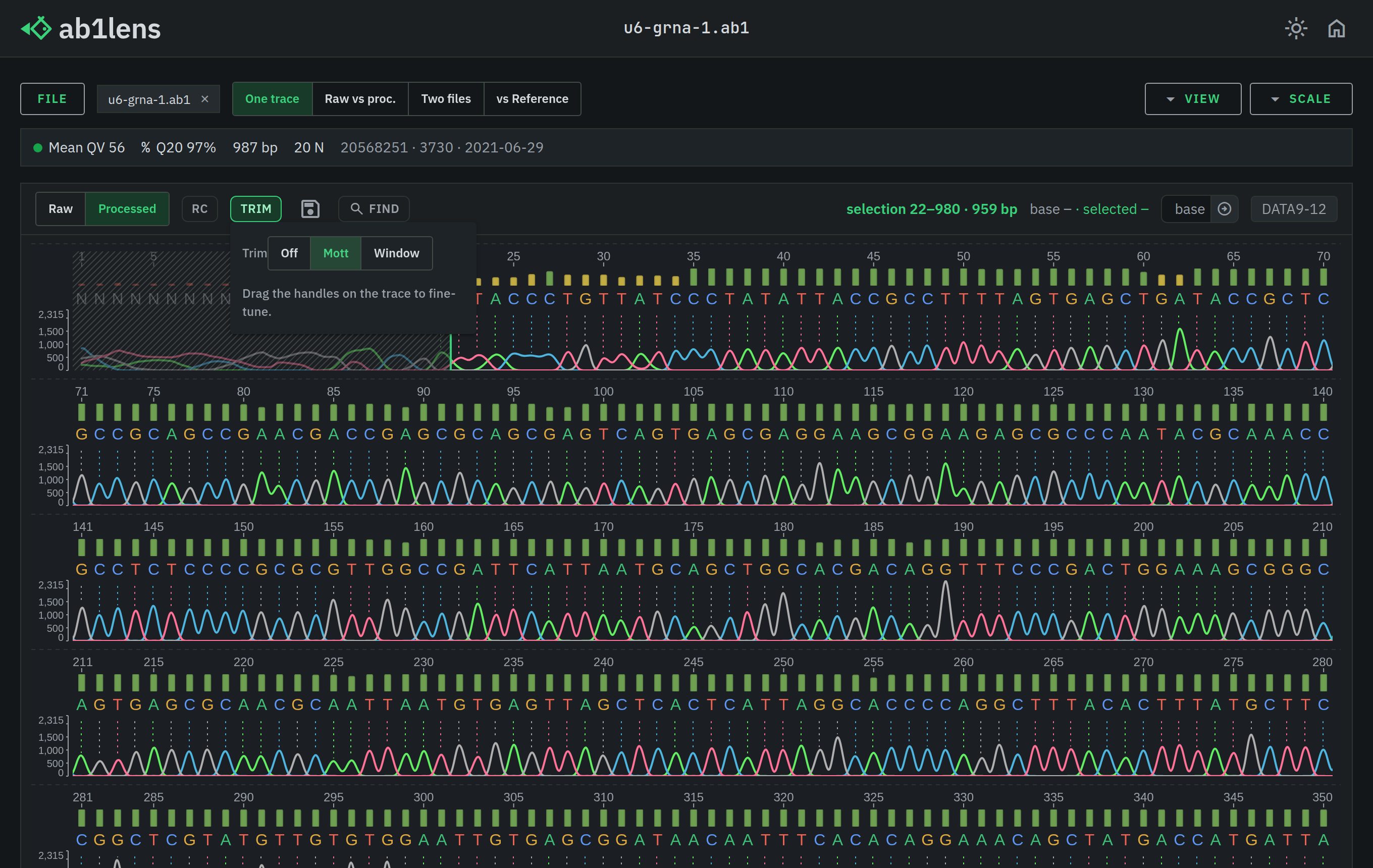 Trim low-quality endsLow-quality ends trimmed automatically (Mott or a sliding window), with draggable handles for fine-tuning.
The trim carries into the exported FASTA / FASTQ.
Trim low-quality endsLow-quality ends trimmed automatically (Mott or a sliding window), with draggable handles for fine-tuning.
The trim carries into the exported FASTA / FASTQ.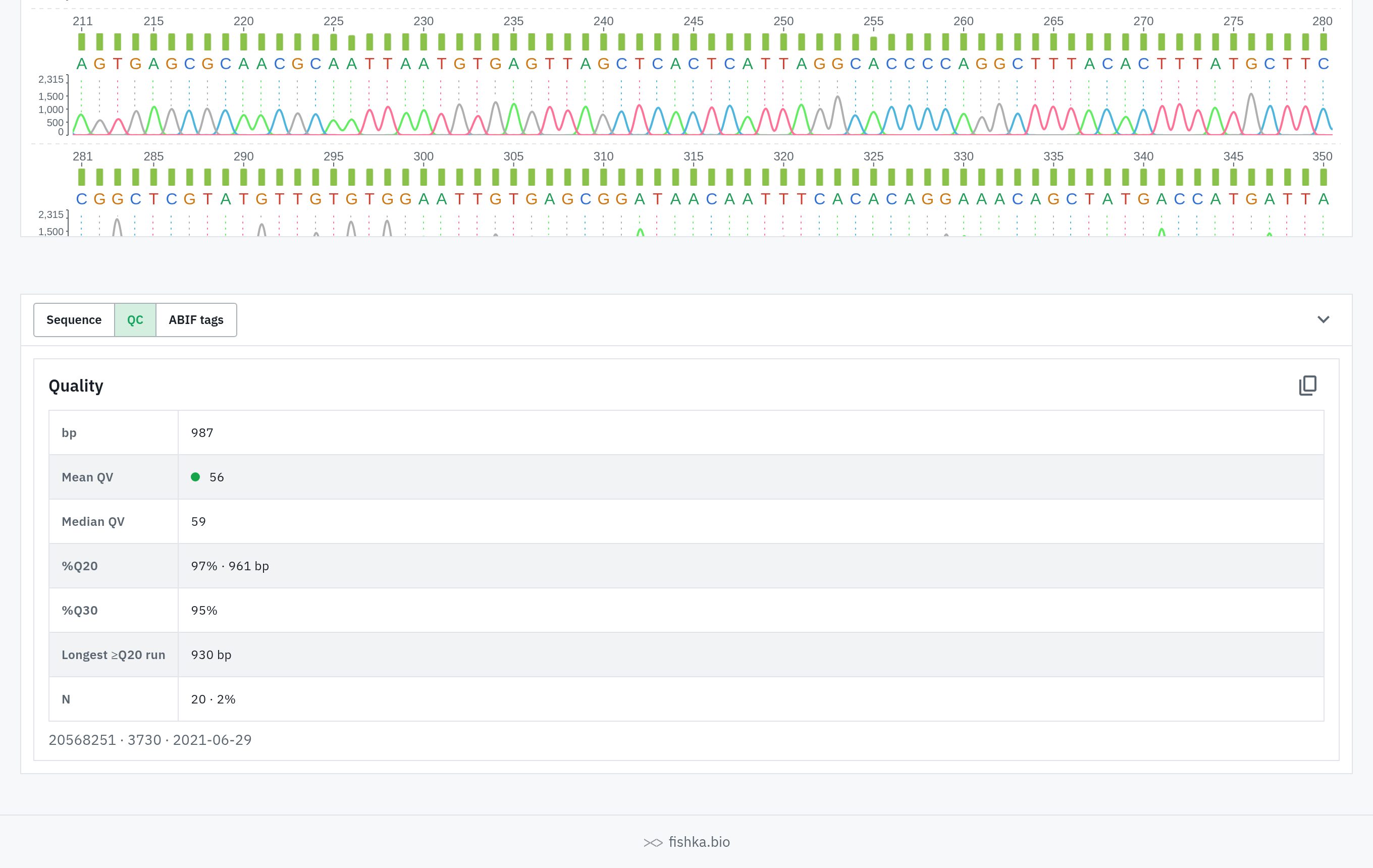 Quality control at a glanceA QC summary for every read: length, mean and median Phred quality, %Q20 and %Q30, the longest high-quality run and the N count.
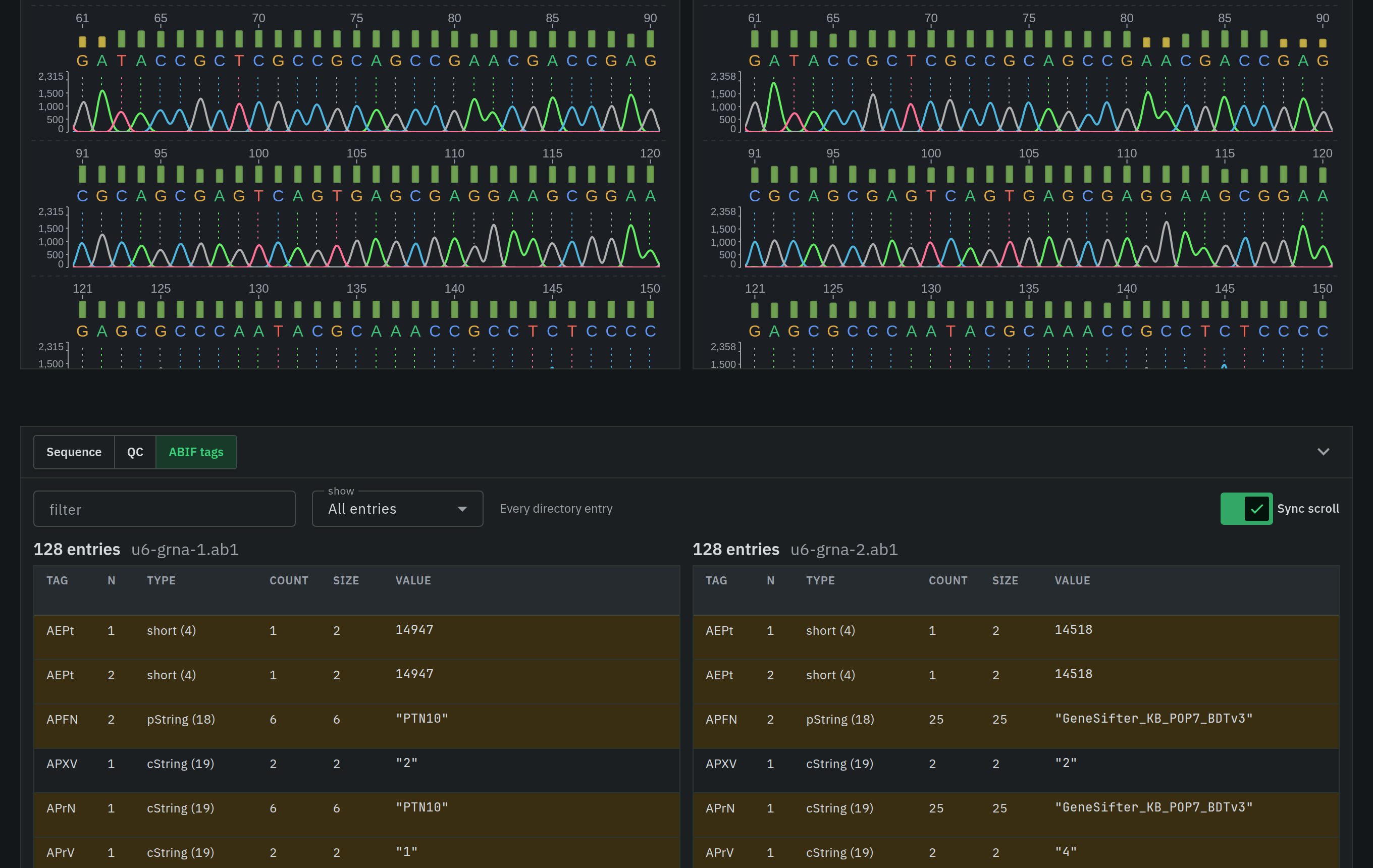 Inspect and compare ABIF tagsThe raw ABIF directory — every tag, type, size and value inside the .ab1 file — filterable and searchable.
With two reads open, their directories sit side by side and differences are highlighted.
Inspect and compare ABIF tagsThe raw ABIF directory — every tag, type, size and value inside the .ab1 file — filterable and searchable.
With two reads open, their directories sit side by side and differences are highlighted.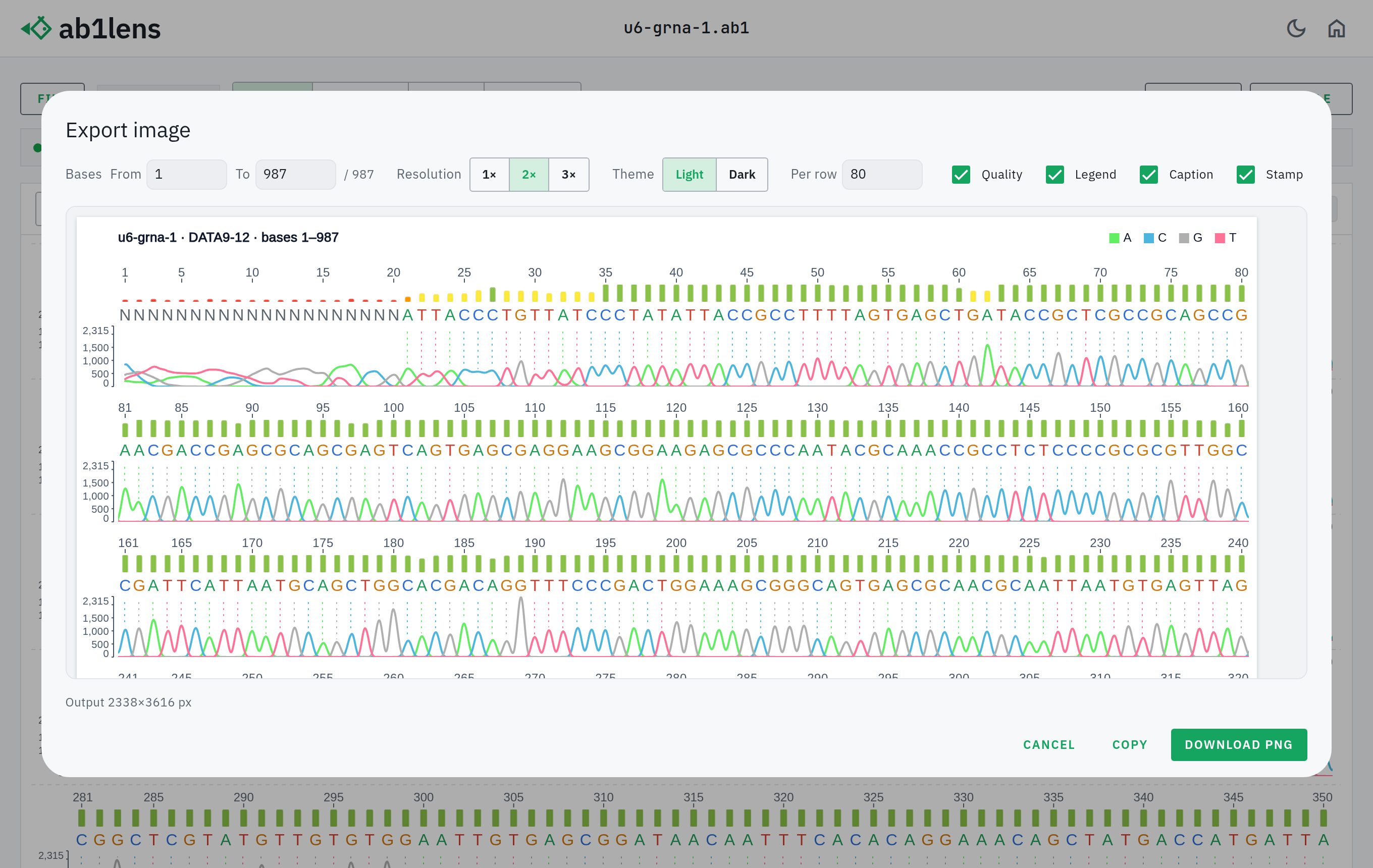 Export publication-quality imagesThe chromatogram rendered to a crisp, high-resolution PNG, with options for the base range, scale, light or dark theme and which tracks to include.
Ready for figures and slides.
Export publication-quality imagesThe chromatogram rendered to a crisp, high-resolution PNG, with options for the base range, scale, light or dark theme and which tracks to include.
Ready for figures and slides.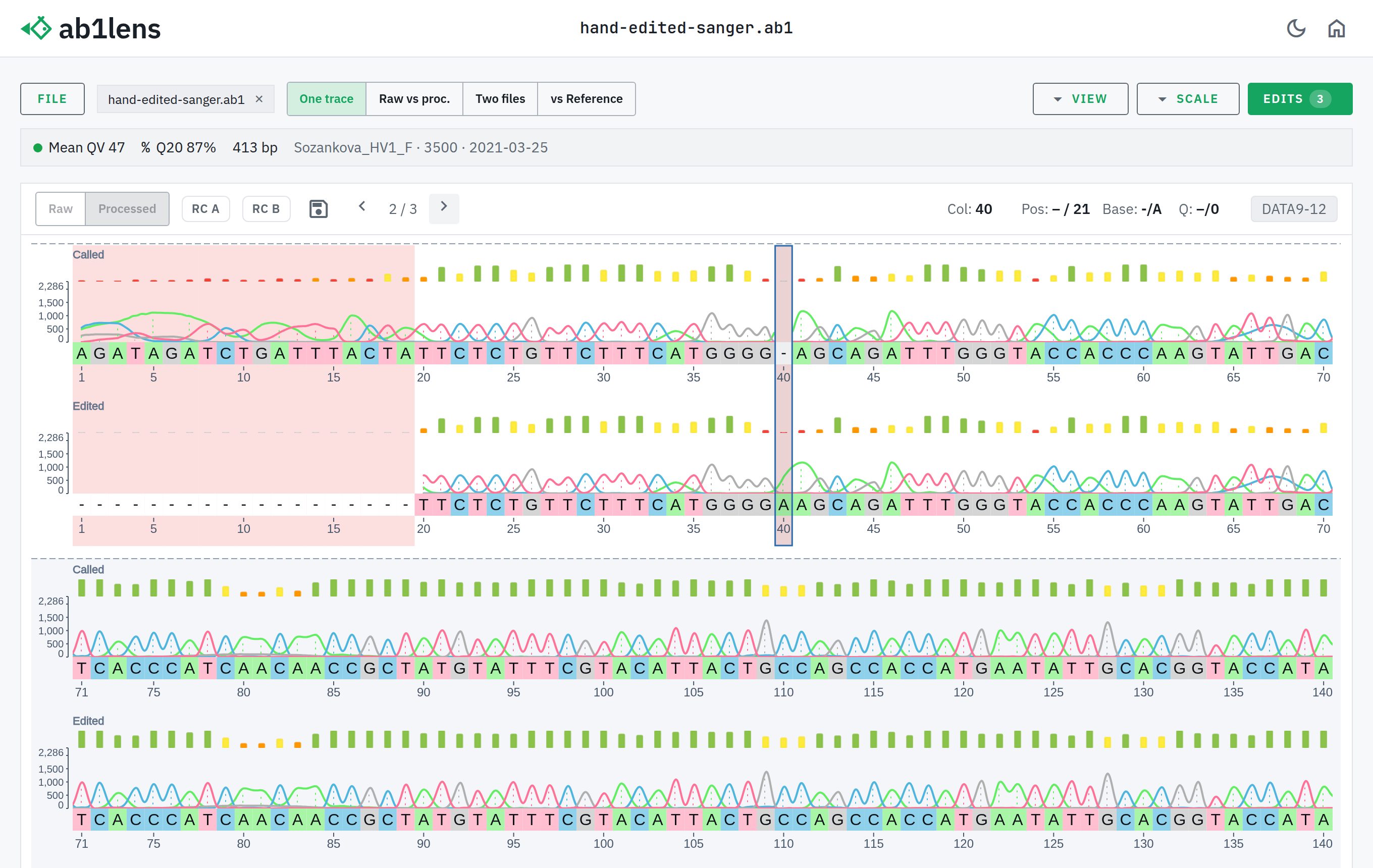 Review hand-edited basecallsThe software calls (PBAS2) and the hand-edited version (PBAS1) stacked and aligned, with every changed position marked.
Edits can be stepped through one by one.
Review hand-edited basecallsThe software calls (PBAS2) and the hand-edited version (PBAS1) stacked and aligned, with every changed position marked.
Edits can be stepped through one by one.